Designing a Better
Website Workflow
When I took ownership of the website, I quickly realized the challenge wasn't only migrating pages to Webflow — it was improving how pages moved from request to publication.
01
Context
The website had no clear design owner or consistent workflow. Landing pages were requested through Slack with little documentation. Content often changed while pages were already being designed, every page was treated as a separate project, and the legacy CMS made even small updates slow. Similar pages evolved independently, creating visual inconsistencies across the website.
02
Role & challenge
The challenge wasn't simply moving pages into Webflow — it was creating a process that made publishing easier to repeat. Instead of redesigning the entire website at once, we used incoming projects and outdated pages to test a better workflow, introduce reusable components, and gradually build a more scalable publishing system.
03
Process
Instead of redesigning the entire website at once, we started with incoming projects and outdated pages. Each project became an opportunity to improve the process, introduce reusable components, and gradually build a more scalable publishing system.
Understand the system
Before proposing a new system, I mapped the existing website to understand what could be reused, what needed rebuilding, and where the biggest sources of inconsistency came from.
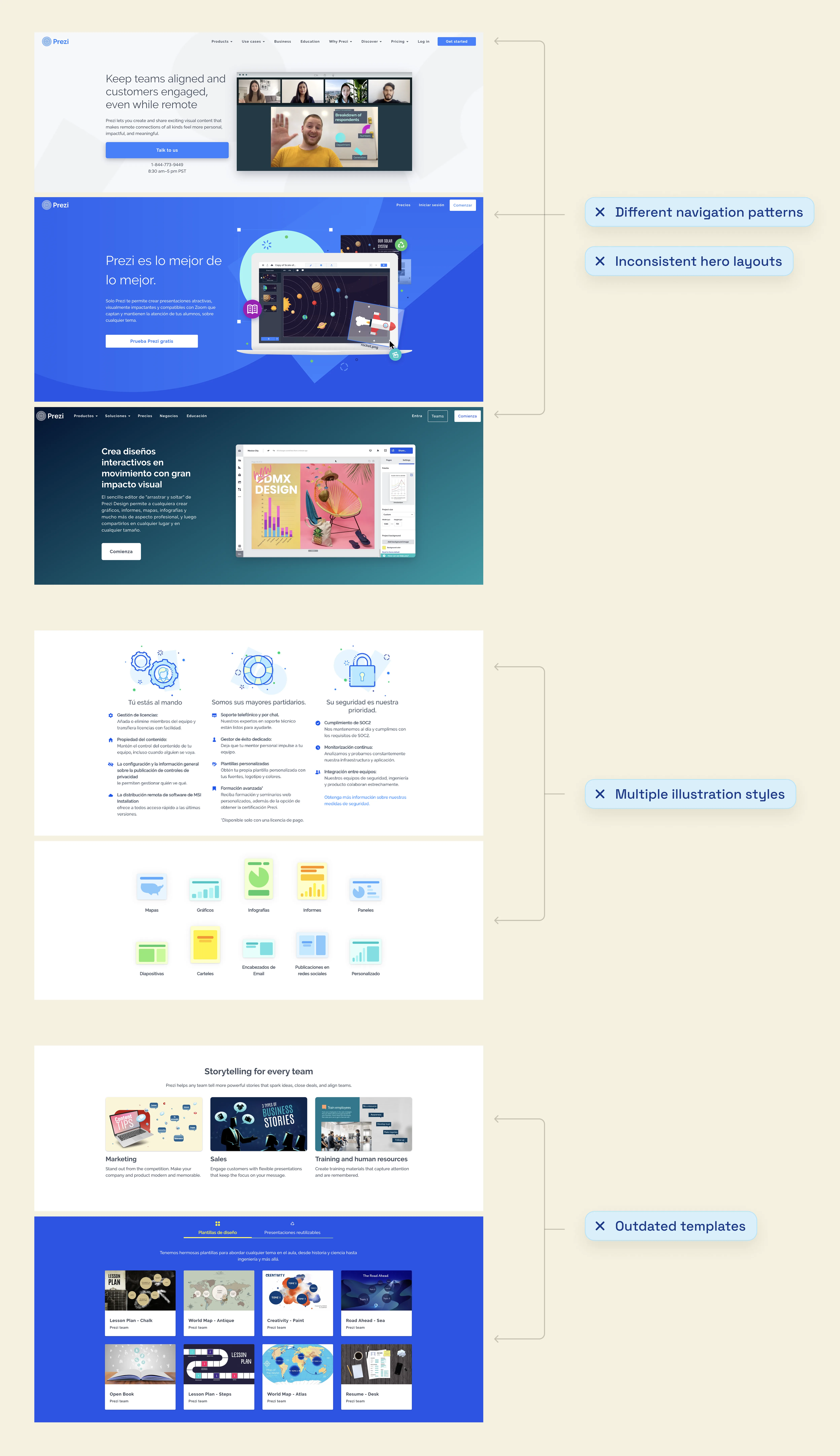
The audit surfaced four recurring problems:
- Different navigation patterns across pages
- Inconsistent hero layouts, no common CTA placement
- Multiple illustration and visual styles
- Outdated product templates
Improve the workflow
The migration alone wouldn't solve the publishing problems. Working with my manager and developers, we moved requests into Jira, defined content earlier, and built reusable components in Figma and Webflow so pages could be assembled instead of rebuilt.

Shared components reduced handoffs
As the component library grew, I gradually moved from handing off designs to building many pages directly in Webflow. Working alongside developers, we reused shared components for landing pages and CMS pages, reducing unnecessary handoffs while keeping engineering involved for new functionality.

The website evolved
with the process
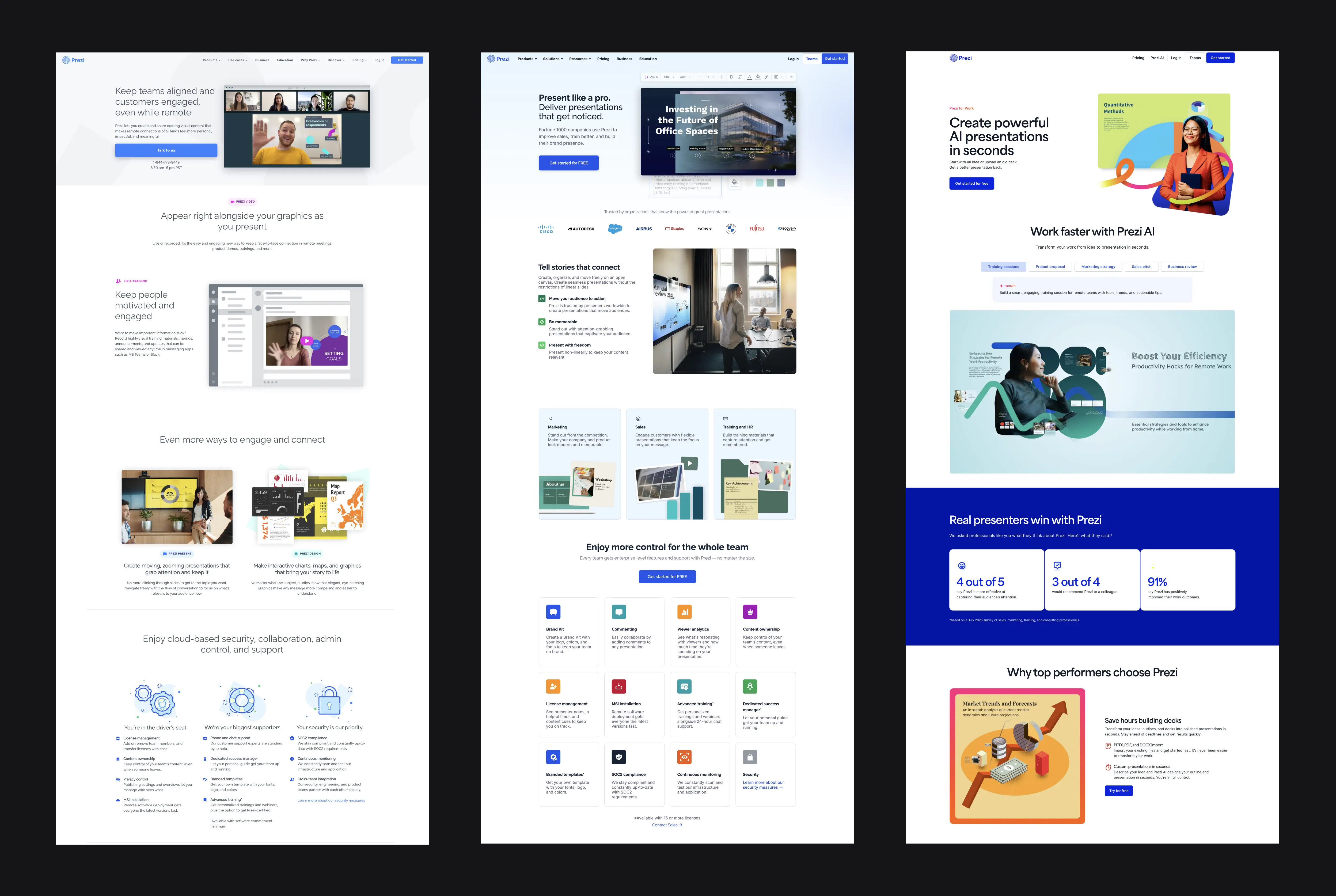
Once the workflow and components were established, new pages became faster to create and easier to maintain. The redesign wasn't a single launch — it was the gradual evolution of a scalable publishing platform.
- Independent pages
- Different layouts
- Manual updates
- Shared sections
- Figma ↔ Webflow
- Consistent patterns
- Marketing edits CMS
- Faster publishing
- Reusable templates
04
Result
Reusable components and a clearer workflow made publishing faster and more consistent. The team could create multiple CMS-driven pages by adapting existing structures instead of rebuilding every layout from scratch.
05
Reflection
Good systems don't replace creativity — they protect it. When routine work becomes predictable, teams can spend more time solving the problems that actually need design.
"Structure protects the work that deserves attention."